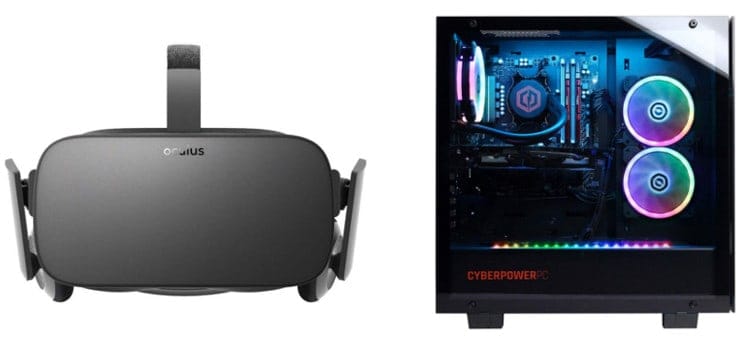
The Cheapest VR-Ready Gaming PC Builds: Dive into Virtual Reality Without Breaking the Bank
Virtual Reality (VR) gaming has revolutionized the way we experience digital worlds. Immersive, engaging, and offering unparalleled levels of interaction, VR has quickly become a must-try experience for gamers. However, the high hardware requirements for VR gaming can be a barrier to entry for many. Building a VR-ready PC can seem daunting, but it doesn’t have to break the bank. This guide explores how to assemble the cheapest VR-ready gaming PC builds, offering a cost-effective path to the exciting world of virtual reality.
Understanding VR Requirements
Before diving into specific builds, it’s crucial to understand the hardware requirements for VR gaming. These requirements can vary slightly depending on the VR headset you plan to use. Oculus Rift, HTC Vive, and Windows Mixed Reality headsets all have their own specifications. However, a general guideline for VR-ready PCs includes:
- Processor: Intel Core i5-4590 / AMD Ryzen 5 1500X or greater
- Graphics Card: NVIDIA GeForce GTX 970 / AMD Radeon R9 290 or greater
- Memory: 8GB RAM or greater
- Video Output: HDMI 1.3 or greater
- USB Ports: At least 3x USB 3.0 ports
- Operating System: Windows 10 64-bit
Meeting these minimum requirements ensures a playable VR experience, though higher specifications will provide smoother performance and better visual fidelity.
Budget Considerations
Building the cheapest VR-ready gaming PC involves making strategic decisions about components. Compromises may be necessary, but careful selection can still deliver a satisfactory VR experience. Here are some key considerations:
- Prioritize GPU: The graphics card is the most crucial component for VR gaming. Allocate a significant portion of your budget to a capable GPU that meets or exceeds the minimum requirements.
- Choose a Balanced CPU: While the GPU is the star, the CPU should be capable enough to avoid bottlenecks. A mid-range processor from AMD or Intel can offer excellent performance without excessive cost.
- Opt for 8GB RAM: 8GB of RAM is the minimum for VR gaming. While 16GB is ideal, sticking with 8GB can save money in a budget build.
- Consider Used Components: Purchasing used components, such as GPUs or CPUs, can significantly reduce costs. However, ensure that the components are in good working condition and have been tested.
- Look for Deals: Keep an eye out for sales, discounts, and bundled offers on PC components. Timing your purchases around major holidays or shopping events can save a considerable amount of money.
Build 1: The Absolute Minimum VR-Ready PC
This build focuses on meeting the bare minimum VR requirements at the lowest possible cost. It’s suitable for entry-level VR gaming and experiences.
- CPU: AMD Ryzen 5 5600G (~$130) – An affordable and capable processor that provides decent performance for VR gaming.
- Motherboard: ASRock B450M Steel Legend (~$80) – A budget-friendly motherboard compatible with the Ryzen 5 5600G.
- RAM: Corsair Vengeance LPX 8GB (2x4GB) DDR4 3200MHz (~$30) – 8GB of RAM is the minimum for VR, and this kit offers a good balance of price and performance.
- GPU: Used NVIDIA GeForce GTX 1070 (~$130-150) – A used GTX 1070 can provide enough power to run many VR games at decent settings.
- Storage: 256GB NVMe SSD (~$25) – A small SSD for the operating system and a few VR games.
- Power Supply: Corsair CX550M 550W 80+ Bronze (~$60) – A reliable power supply with enough wattage for this build.
- Case: Cooler Master MasterBox Q300L (~$50) – A compact and affordable case.
Total Estimated Cost: ~$505-525
Build 2: Enhanced VR Performance
This build aims to provide a smoother and more enjoyable VR experience by upgrading key components.
- CPU: AMD Ryzen 5 5600 (~$140) – A slightly more powerful CPU than the 5600G, but requires a dedicated GPU.
- Motherboard: MSI B450M Mortar Max (~$85) – A reliable and feature-rich motherboard.
- RAM: Corsair Vengeance LPX 16GB (2x8GB) DDR4 3200MHz (~$50) – Upgrading to 16GB of RAM improves overall performance and reduces stuttering in VR.
- GPU: Used NVIDIA GeForce GTX 1080 (~$200-220) – A significant upgrade over the GTX 1070, providing better performance in VR games.
- Storage: 500GB NVMe SSD (~$40) – More storage space for games and applications.
- Power Supply: Corsair RM650x 650W 80+ Gold (~$110) – A high-quality power supply with ample wattage for future upgrades.
- Case: NZXT H510 (~$80) – A sleek and modern case with good airflow.
Total Estimated Cost: ~$705-725
Build 3: Future-Proof VR Build
This build is designed to offer excellent VR performance and provide room for future upgrades.
- CPU: AMD Ryzen 5 7600 (~$230) – A modern and powerful CPU that offers excellent gaming performance.
- Motherboard: MSI B650M Mortar WIFI (~$170) – A feature-rich motherboard with WIFI for easy connectivity.
- RAM: Corsair Vengeance LPX 16GB (2x8GB) DDR5 5200MHz (~$60) – High-speed DDR5 RAM for improved performance.
- GPU: Used NVIDIA GeForce RTX 2070 Super (~$250-270) – A high-performance GPU that can handle most VR games at high settings.
- Storage: 1TB NVMe SSD (~$60) – Plenty of storage space for games and applications.
- Power Supply: Corsair RM750x 750W 80+ Gold (~$130) – A high-quality power supply with plenty of wattage for future upgrades.
- Case: Fractal Design Meshify C (~$90) – A case with excellent airflow and a stylish design.
Total Estimated Cost: ~$990-1010
Tips for Saving Money
- Buy Used Components: As mentioned earlier, purchasing used components can significantly reduce costs. Check reputable online marketplaces and ensure the components are tested and in good condition.
- Monitor Sales: Keep an eye on sales and discounts from online retailers. Subscribe to newsletters and follow social media accounts to stay informed about deals.
- Consider Refurbished Components: Refurbished components are often sold at a lower price than new components. These components have been inspected and repaired, and often come with a warranty.
- Use Existing Peripherals: If you already have a keyboard, mouse, and monitor, you can save money by using them with your new VR-ready PC.
- Overclocking: Overclocking your CPU and GPU can provide a performance boost without spending extra money. However, be cautious and ensure proper cooling to avoid damaging your components.
Setting Up Your VR System
Once you’ve built your VR-ready PC, setting up your VR system is relatively straightforward. Here are the basic steps:
- Install VR Software: Install the software for your VR headset (e.g., Oculus, SteamVR).
- Connect Headset: Connect the VR headset to your PC using the appropriate cables (HDMI, USB).
- Install Drivers: Install the necessary drivers for your VR headset and controllers.
- Calibrate Sensors: Calibrate the VR sensors or base stations according to the manufacturer’s instructions.
- Configure Settings: Configure the VR settings in the software to optimize performance and visual quality.
- Launch VR Games: Launch your favorite VR games and immerse yourself in the virtual world.
Conclusion
Building a VR-ready gaming PC doesn’t have to be prohibitively expensive. By carefully selecting components, considering used parts, and taking advantage of sales, you can create a budget-friendly VR system that delivers an immersive and enjoyable experience. Whether you opt for the absolute minimum build or invest in a more powerful system, the world of virtual reality is now within reach. With a little research and planning, you can dive into VR gaming without breaking the bank.