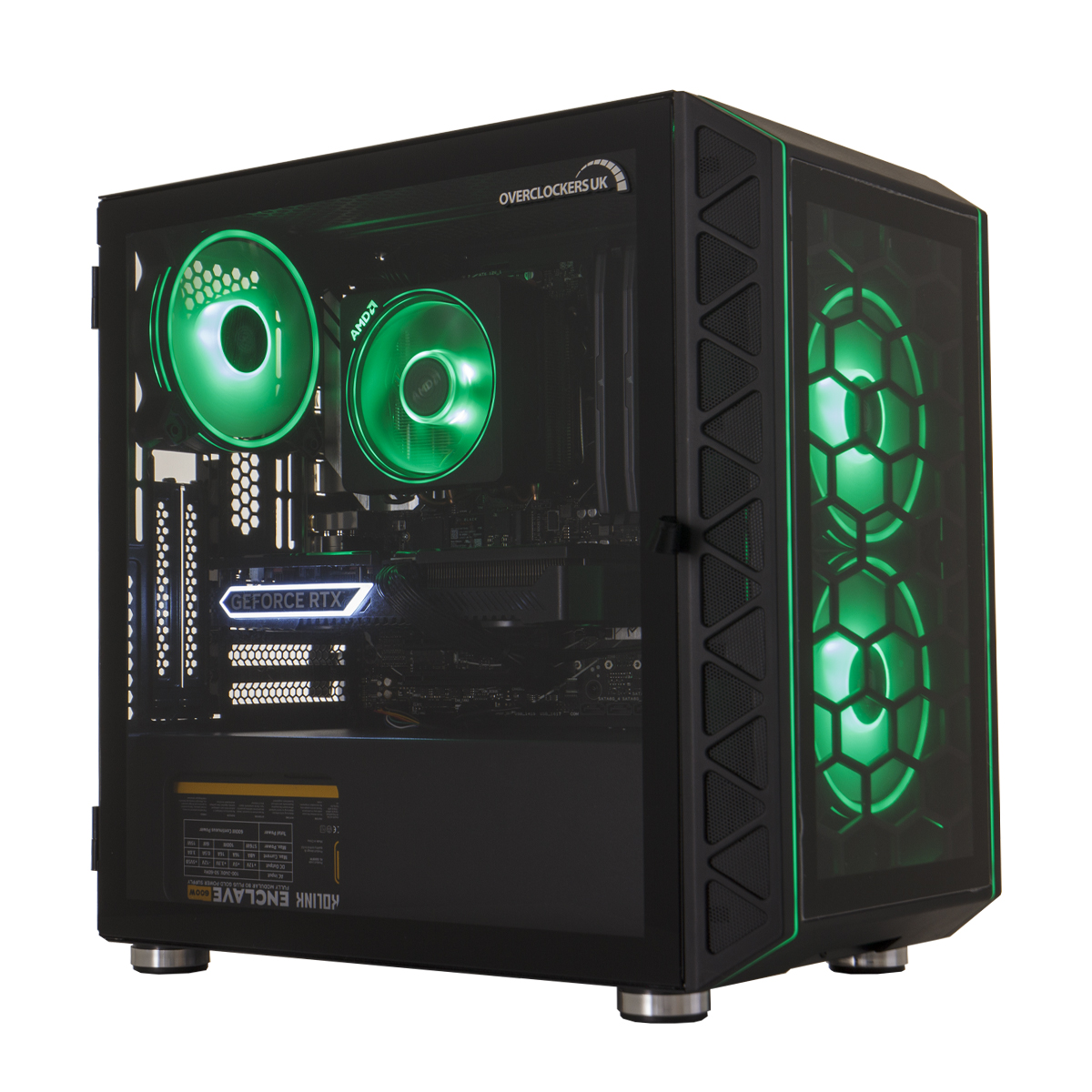
Crafting the Ultimate Fortnite Battlestation: A Guide to Building a Custom Gaming PC
Fortnite, the global phenomenon that has captivated millions, demands more than just skillful gameplay. To truly dominate the battlefield and immerse yourself in the vibrant world, a powerful gaming PC is essential. While pre-built systems can offer convenience, building your own custom gaming PC for Fortnite allows you to tailor every component to your specific needs, budget, and performance goals.
This comprehensive guide will walk you through the process of selecting the perfect components, assembling your dream machine, and optimizing it for the ultimate Fortnite experience.
Understanding Fortnite’s System Requirements
Before diving into the build, it’s crucial to understand the game’s system requirements. Epic Games provides both minimum and recommended specifications, but for a truly enjoyable experience, we’ll aim for performance that exceeds the recommended requirements.
-
Minimum:
- CPU: Intel Core i3-4130 or AMD Ryzen 3 1200
- GPU: NVIDIA GeForce GTX 960 or AMD Radeon R7 240
- RAM: 8 GB
- OS: Windows 7/8/10 64-bit
-
Recommended:
- CPU: Intel Core i5-7300U 3.5 GHz or AMD Ryzen 3 3300X
- GPU: NVIDIA GeForce GTX 1060 or AMD Radeon RX 580
- RAM: 8 GB
- OS: Windows 10 64-bit
Choosing the Right Components
-
Central Processing Unit (CPU): The Brain of the Operation
The CPU handles the game’s logic, AI, and physics. For Fortnite, a mid-range CPU is ideal, offering a balance of performance and affordability.
- Options:
- Intel:
- Core i5-12400F: A fantastic value option with excellent single-core performance, perfect for Fortnite.
- Core i5-13600K: A step up in performance, offering more cores and threads for smoother gameplay and multitasking.
- AMD:
- Ryzen 5 5600X: A popular choice with strong gaming performance and excellent value.
- Ryzen 5 7600X: The latest generation of Ryzen CPUs, delivering impressive performance and future-proofing.
- Intel:
- Options:
-
Graphics Card (GPU): The Visual Powerhouse
The GPU is responsible for rendering the game’s visuals, including textures, lighting, and effects. A dedicated graphics card is essential for smooth frame rates and high-resolution gaming.
- Options:
- NVIDIA:
- GeForce RTX 3060: A solid mid-range card capable of running Fortnite at high settings with excellent frame rates.
- GeForce RTX 3060 Ti: A step up in performance, offering even smoother gameplay and the ability to crank up the settings.
- GeForce RTX 4060: Nvidia’s latest offering in the budget segment offers exceptional performance and efficiency.
- AMD:
- Radeon RX 6600 XT: A strong competitor to the RTX 3060, offering excellent performance at a competitive price.
- Radeon RX 6700 XT: A more powerful option for those seeking even higher frame rates and visual fidelity.
- Radeon RX 7600: AMD’s latest offering in the budget segment offers exceptional performance and efficiency.
- NVIDIA:
- Options:
-
Memory (RAM): The Multitasking Master
RAM stores temporary data that the CPU and GPU need to access quickly. 16GB of RAM is the sweet spot for modern gaming, ensuring smooth performance and preventing bottlenecks.
- Recommendation: 16GB DDR4 or DDR5 RAM with a speed of 3200MHz or higher.
-
Storage: The Speed Demon
A solid-state drive (SSD) is crucial for fast boot times, quick game loading, and snappy overall system performance.
- Recommendation: A 500GB or 1TB NVMe SSD for the operating system, games, and frequently used applications. A secondary hard drive (HDD) can be added for mass storage of less frequently accessed files.
-
Motherboard: The Foundation of Your PC
The motherboard connects all the components and provides the necessary interfaces. Choose a motherboard that is compatible with your CPU and supports the features you need.
- Considerations:
- Chipset: Ensure the chipset is compatible with your chosen CPU (e.g., B660 or Z690 for Intel, B550 or X570 for AMD).
- Form Factor: ATX is the most common form factor, offering plenty of expansion slots.
- Features: Look for features like USB 3.2 ports, M.2 slots, and sufficient fan headers.
- Considerations:
-
Power Supply Unit (PSU): The Energy Source
The PSU provides power to all the components. Choose a PSU with enough wattage to handle your system’s power requirements, with some headroom for future upgrades.
- Recommendation: A 650W or 750W 80+ Bronze certified PSU from a reputable brand.
-
Case: The Enclosure
The case houses all the components and provides airflow. Choose a case that is aesthetically pleasing, has good airflow, and is easy to work with.
- Considerations:
- Size: Ensure the case is large enough to accommodate all your components.
- Airflow: Look for a case with good ventilation and fan mounting options.
- Aesthetics: Choose a case that matches your personal style.
- Considerations:
-
CPU Cooler: Keeping Things Cool
A good CPU cooler is essential for preventing overheating and maintaining optimal performance.
- Options:
- Air Cooler: A cost-effective and reliable option for most CPUs.
- Liquid Cooler: Provides superior cooling performance, especially for high-end CPUs.
- Options:
Assembly and Optimization
Once you have all the components, it’s time to assemble your gaming PC. There are many online resources and tutorials that can guide you through the process.
- Tips:
- Take your time and be careful.
- Follow the instructions in the motherboard manual.
- Use anti-static protection.
- Double-check all connections.
After assembly, install the operating system, drivers, and Fortnite. Then, optimize the game settings for the best balance of visual quality and performance.
- Fortnite Optimization:
- Resolution: Adjust the resolution to match your monitor’s native resolution.
- Graphics Settings: Experiment with different graphics settings to find the sweet spot for your system.
- Frame Rate Limit: Cap the frame rate to match your monitor’s refresh rate.
- Disable Unnecessary Features: Disable features like motion blur and shadows to improve performance.
Budget Considerations
The cost of building a custom gaming PC for Fortnite can vary depending on the components you choose. A budget-friendly build can cost around $800-$1000, while a high-end build can cost $1500 or more.
- Tips for Saving Money:
- Shop around for the best deals.
- Consider buying used components.
- Build your PC in stages.
- Overclock your components (with caution).
Conclusion
Building a custom gaming PC for Fortnite is a rewarding experience that allows you to tailor your system to your specific needs and budget. By choosing the right components, assembling your PC carefully, and optimizing the game settings, you can create the ultimate Fortnite battlestation and dominate the competition.
Remember to do your research, ask for advice, and enjoy the process. With a little effort, you can build a gaming PC that will provide you with years of enjoyment.